From Scheduled Television to the Streaming Catalogue
From scheduled television to the streaming catalogue shifted viewing choice to the viewer. Learn how to handle changing availability, shared routines and playback snags.

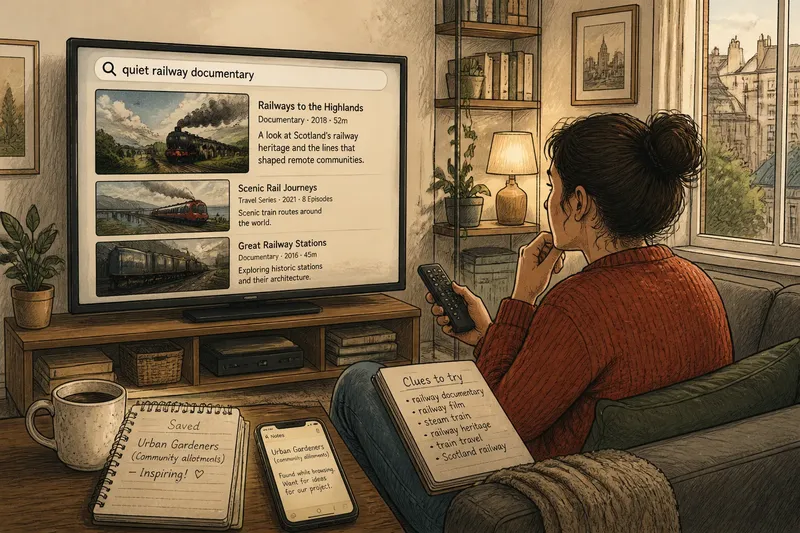
You settle onto the sofa after dinner, reach for the remote and expect last week’s programme to be on next. Instead, the television opens a streaming catalogue with rows of titles and no set starting time. The move from scheduled television to the streaming catalogue changed who chooses what to watch, but it also changed how households keep track of viewing.
Changing availability
A scheduled programme belonged to a channel and a time. A printed guide or on-screen schedule showed what was coming; if you missed the slot, you might have to wait for a repeat. Streaming lets you choose from a catalogue, but the titles available can change, and a search may not explain why a familiar programme is missing.
Start by checking whether you remember the title accurately. A programme may be listed under its series name, grouped with a season, or absent from that service’s current catalogue. It could also be available through a separate add-on or another provider.
- Check the title’s spelling and your selected profile; if either is wrong, correct it and search again, otherwise try the series name.
- Look for a season page or related collection; if the programme appears there, open the relevant episode, otherwise continue to the service’s help pages.
- Check the service’s help pages for current availability; if they list the title, follow their route to it, otherwise check an official programme page or legitimate availability listing.
- Check whether the title is offered by another provider or as a separate add-on; if it is, decide whether that option suits you, otherwise choose another programme.
- Check that the result is the version you remember; if it is a different edition, inspect its details before starting, otherwise open the matching title.
- Check whether the service offers the title to rent or buy; if it does, weigh that option against watching something else, otherwise stop searching that catalogue.
Say you remember a nature programme by the name of its first episode, and the service’s search returns no result. You try the series title, open its season page and see the episode listed there; the answer is to start from the series page, not to keep repeating the episode search.
Household routines
Scheduled television supplied an external cue: a particular evening, a channel or one programme followed by another. On-demand viewing removes that timetable, which can make it less clear when to watch or when to stop. A programme that once fitted between dinner and bedtime now sits among choices available at many times.
Give viewing a place in the evening before opening the app. You might choose a programme before switching on, or agree on a stopping point that leaves room for the rest of your plans. For shared viewing, set a selection rule that fits the household, such as taking turns choosing on different evenings.
Imagine two housemates finish dinner with different preferences: one wants a comedy and the other wants a nature programme. They agree that the first housemate chooses tonight and the other chooses next time; tonight’s choice is settled without trying to find a title that pleases both equally.
Resume points
Streaming services commonly track viewing progress, but the marker may not match what you remember. A programme can resume at an unexpected point or episode, particularly when several people use the same profile.
Check that you are using the intended profile and that the episode title matches your memory. If the service has moved on to a later episode, open the season list and select the right one. If the resume point itself is wrong, use the service’s controls to restart or choose a point; do not assume repeated playback will correct it.
Separate profiles can help household members keep different progress records. If a separate profile is not practical, note the episode title or season page before leaving. That reference can make it easier to pick up where you intended.
Picture and sound
A catalogue title may offer different audio tracks, subtitles or versions. The television and service may also have display controls, but the available options vary by device, service and programme.
Start with the title’s playback menu. If dialogue is difficult to follow, try an available subtitle or audio option; if the image looks cropped, check the television’s picture-size setting and the programme’s display options. Change one control at a time, and follow the instructions for your specific device and service rather than assuming every menu works the same way.
Where a service allows preferences to be saved by profile, set the options that suit each viewer. If a control is unclear or behaves differently than expected, consult the device or service instructions before changing other settings.
Questions about streaming?
Did streaming remove television schedules?
No. Scheduled channels and live streams still publish line-ups, while on-demand catalogues let viewers start eligible programmes at a chosen time. Some services offer both, so check whether you are browsing a live guide or an on-demand catalogue.
Why can’t I find a programme I watched before?
It may have moved, left the service or been listed under a series name rather than the title you remember. Check the service’s search and current availability information before looking elsewhere.
Why does an episode resume at the wrong point?
Progress is associated with a profile and the service’s playback controls, so another viewer’s activity may affect a shared profile. Check the episode in the season list and use the service’s controls to restart or select the intended point.
Do picture controls work the same way on every television?
No. Available settings and their names vary by device, service and content. Follow the instructions for the television and streaming service you are using, and change one setting at a time.
Putting choice in context
The move from scheduled television to the streaming catalogue shifted more decisions to the viewer. A missing title, a disrupted household routine, a misplaced resume point and an uncomfortable playback setting are different problems, so check the relevant part of the service before changing anything else.
If a programme remains unavailable, note the exact title and the service where you searched before checking an official programme page or legitimate availability listing. That small detail helps you distinguish a search problem from a catalogue change, and gives you a clearer basis for deciding what to watch next.