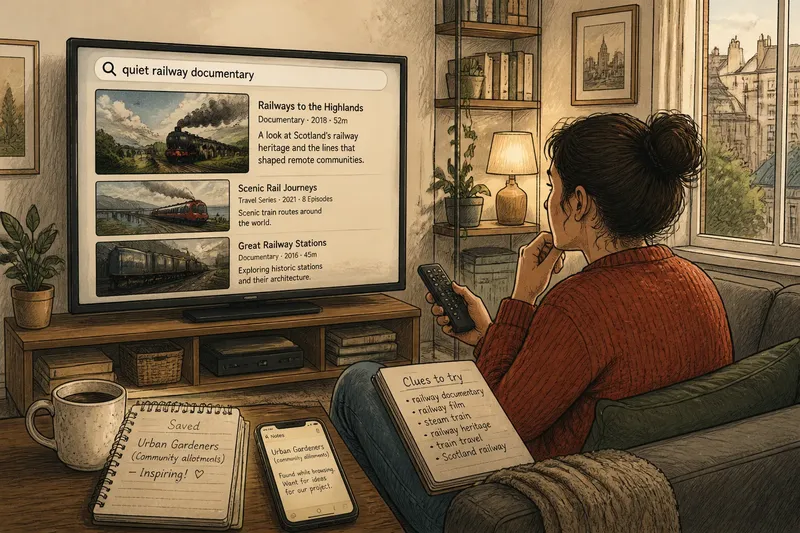
A Low-Effort Watchlist for a Busy Week
A low-effort watchlist helps you choose a show that fits your mood and available time, so a busy evening starts with a clear option rather than endless browsing.

The kettle clicks off, your phone is nearly out of your hand, and you have time for one episode before bed. A low-effort watchlist can make that evening easier—but it works best as a set of viewing cues, not another queue of titles to manage.
Use the list to record what kind of experience a programme offers and when it might suit you. Keep the useful details close to the title, then let the evening’s mood and circumstances decide.
Record viewing cues
For each title, note the service, the point you would start from and a brief viewing cue. “Quiet background”, “needs attention” or “one episode” says more about tonight’s fit than a plot summary.
Use the streaming app’s list if it is easy to edit, or keep a note in Apple Notes or Google Keep if you watch across services. Pick one place so you are not checking several apps just to remember why a title appealed.
Include practical details that could change your choice. If a programme needs subtitles, a particular device or someone else’s account, write that down; if you do not know whether it is available, leave availability unconfirmed rather than assuming.
Match mood and format
Think about the attention you can give, the company you are watching with and the format that suits the evening. A familiar comedy may work as relaxed company, while a layered drama may be more satisfying when you can follow it closely.
Keep labels plain and personal. “Light”, “absorbing” and “watch together” are useful if they mean something to you; avoid treating genre as a reliable mood predictor. A comedy can still feel too energetic when you want quiet.
For time, record the format you expect to choose: an episode, a film or a short programme. Check the episode details in the app if duration matters to your plans, rather than relying on a vague label such as “quick”.
Use a decision check
- Check your available time. If you can comfortably finish the format listed, choose it; if not, pick an episode or shorter programme instead.
- Check your attention. If you want to follow a complex story, choose an absorbing title; if your focus is low, choose something familiar or easier to dip into.
- Check the company. If everyone present is interested, start the shared option; if preferences clash, choose a title that suits the group or watch separately.
- Check access. If the title opens on a service you can use, go to it; if access is unclear or unavailable, choose another option and verify later.
- Check the viewing conditions. If the title’s subtitles or sound suit your setting, start it; if they do not, switch to a more suitable programme or device.
- Check your interest now. If the title still appeals, press play; if it feels like an obligation, remove it or leave it for another evening.
Fit the list to tonight
Say you have finished work late, feel mentally tired and have room for one episode. Your note lists an intricate mystery marked “needs attention”, a gentle comedy marked “easy company” and a short travel programme marked “quiet”. You check that all three are available in your apps, then choose the comedy because its cue fits your energy; the mystery stays for an evening when you want to concentrate, while the travel programme remains an alternative if you want a calmer tone.
The decision comes from the situation, not a promise to complete a series. If the first episode does not suit you, stop and choose again; finishing a title is not the purpose of keeping it on the list.
Keep notes useful
When you finish or abandon a title, update its status if that will prevent confusion next time. Keep a continuing programme only if you still want to return, and note the episode or season when the app’s playback position is not enough.
If a title no longer appeals, remove it. If you are unsure, add a short reason to revisit it, such as “try with subtitles” or “save for shared viewing”, rather than letting a forgotten entry look like a current preference.
Questions about watchlists?
Should I use an app list or a phone note?
Use the option you can open and edit without effort. An app list keeps titles beside its catalogue, while a phone note can include titles from several services and your own viewing cues.
What should I write beside a title?
Record details that could affect your choice, such as the service, where to resume, whether it needs close attention and who might enjoy it with you. Skip plot notes unless they help you recognise the programme.
What if nothing on the list fits?
Do not choose a title just to use the list. Make one focused search for a format or mood that suits the evening, or stop browsing and do something else.
How do I handle shared viewing?
Note who the title might suit and agree on a broad preference before browsing. If nobody is keen on the same option, choose a different activity rather than turning the list into a negotiation.
Make the choice easier
A low-effort watchlist is most useful when its notes help you decide, not when it tries to account for every programme you might watch. A service, a starting point and one honest cue are often enough to distinguish a good fit from a title that can wait.
Next time you add a programme, write down the specific reason it could suit an evening. That small note gives your future self a better starting point, while leaving the final choice open to how you feel then.